
MAILOCEAN / RESELLER GUIDE
Plans and capacity
Understand how WHMCS seat reservations share your contract limit.
One shared limit
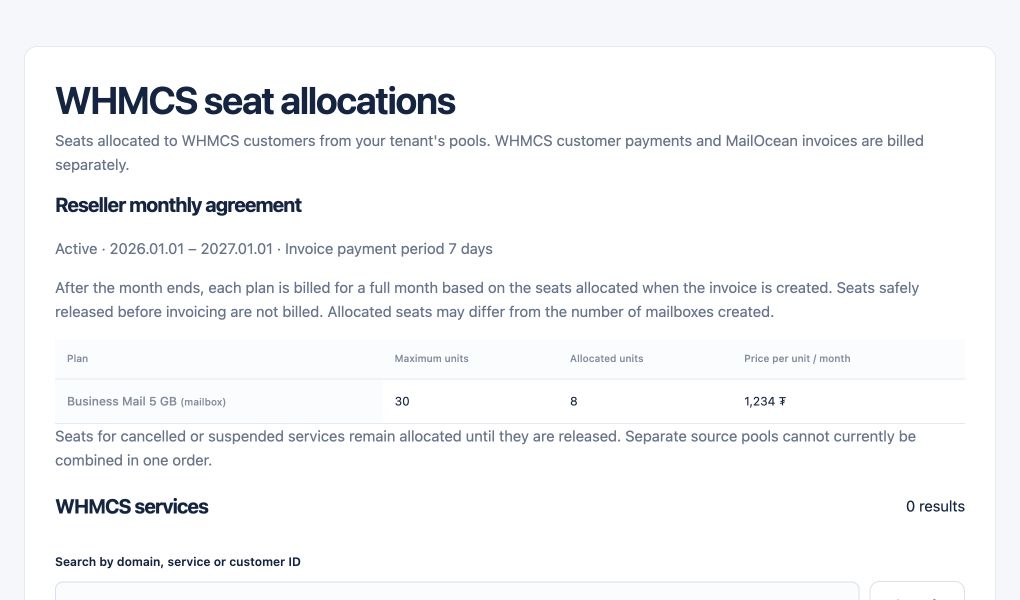
Under the per-mailbox agreement, ClientArea mailboxes and WHMCS reservations share the total limit. Select the Mailbox Quantity for new services.
- Check your contract’s total mailbox limit.
- Set quantities for each WHMCS customer service within the remaining limit.
Usage and billing
A reserved seat lets a customer create a mailbox. Billing counts active and suspended mailboxes on the monthly snapshot date. Review inventory and the estimated invoice in MailOcean Overview. Review linked services and reserved seats in WHMCS Addons → MailOcean.
- Open the WHMCS addon to see reservations.
- Open MailOcean Overview to see the current billing estimate.
Existing services
Existing WHMCS services can keep their previous allocation source. Use the addon to check each service and contact MailOcean to reconcile a capacity issue.
- Locate the affected service by its WHMCS ID.
- Share the service ID with MailOcean support for reconciliation.