
Service operations
Change, suspend and terminate WHMCS services.
Daily operations
The module provides service creation, suspension, unsuspension, termination and renewal acknowledgement commands. WHMCS manages the reseller’s customer orders and billing. Before changing a product or quantity, review the reseller configuration, MailOcean source capacity and target conditions.
- Select the service in WHMCS and run the appropriate supported create, suspend, unsuspend or terminate action.
- Before changing product or quantity, check a matching source, sufficient capacity, and mailbox and domain limits.
- Review the action response and processing status in both WHMCS and MailOcean.
Check status
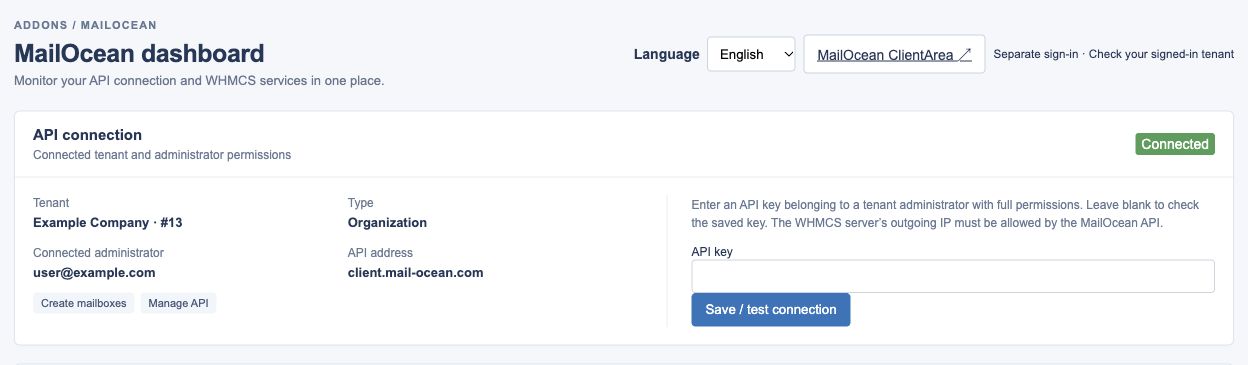
Use the WHMCS Addons → MailOcean dashboard to review the connected tenant, services, domains, mailbox usage and sync status. Review the organization-wide mailbox count in MailOcean Overview.
- Open WHMCS Addons → MailOcean and check the connected tenant and service status.
- Check the linked service ID in the addon and compare mailbox inventory in MailOcean.
- For discrepancies, record the state and a sanitized error and contact support.
Termination and seat release
Termination does not immediately delete mailbox data or release seats. The tenant owner can archive mailboxes and confirm permanent deletion after the 30-day retention period; an operator can release the allocation only after related resources have been cleared.
- Do not assume termination immediately releases allocation; review associated mailbox and service states.
- The authorized owner archives the mailboxes and personally confirms any permanent deletion after the 30-day retention period.
- Once related resources are cleared, ask the operator to review allocation release.